Apple has spent several years in making of Swift. Apple put down the foundation for Swift in order to improve the current compiler, debugger, and also framework structure. The memory management has been made easier with Automatic Reference Counting (ARC). The framework stack, designed on the strong base of Foundation and Cocoa, and also been modernised and standardised all around. Objective-C alone has developed to support blocks, collection literals, as well as modules, allowing framework adopting of latest language technologies with no interruption. Swift the latest programming language is recognized as the outcome of latest research for the programming languages, blend of many years of knowledge in developing Apple platforms. The specific features presented out of objective-C are introduced on a clean syntax that makes it much easier to read and manage. The primary concept regarding Swift is to make programming easier by following safe programming patterns & codes.
Showing posts with label iphone app development company. Show all posts
Showing posts with label iphone app development company. Show all posts

18 June, 2014
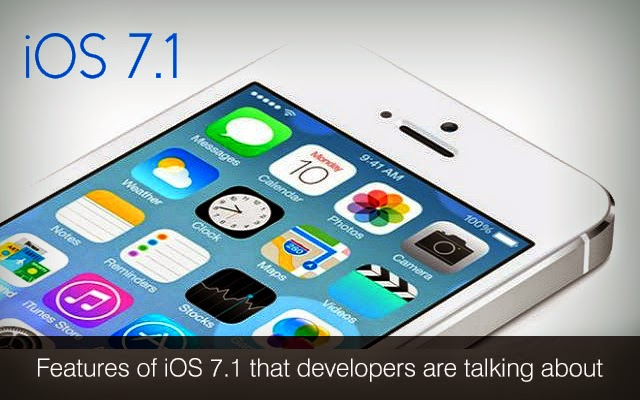
Features of iOS 7.1 that developers are talking about
The seventh generation iPod, iPhone and iPad operating system of Apple has received a major update through iOS 7.1 which has been code-named as Sochi. Some long overdue as well as much needed bug fixes have been provided. Not just that, several improved features also accompany it which have become quite a fodder for discussion amongst developers. In fact, it is claimed to be the fastest iOS to be introduced yet. Even iPhone 4’s normal performance has been improved greatly so that its users can hold on to their handsets for a little while longer. Some of the most talked about features are discussed here.
 Absence of displaced background- The latest update by Apple has made it possible to disable parallex feature which gives motion on wallpaper and can be pretty annoying at times. However, despite disabling this feature, you need not eliminate the zooming animation feature while closing as well as opening of apps. For that you have to toggle off “Reduce Motion” in Settings under General under Accessibility options. Then from there you have to navigate to settings of wallpapers and brightness and tap Lock Screen Wallpaper. Perspective Zoom must be toggled off and pressed set.
Encouraging photography, enabling HDR auto- Previously there was a terrible bug which resulted in constant disabling of HDR every time you close the camera app. Now a new auto setting of HDR has been introduced to monitor the adjoining lighting conditions so that HDR can be enabled or disabled automatically. For enabling of this feature, the camera app must be opened and then you can tap HDR Off or HDR On. HDR Auto can be selected so that everything is taken care of automatically.
Comeback of button shapes option- With earlier versions, users could manipulate Button Shapes but there were complaints regarding the tap targets. With the new upgrade users can now include button shapes to text-only tap targets of the software. It is very simple to add button shapes. Toggle on Button Shapes by visiting Settings, under General under Accessibility tabs.
New and improved Siri- Siri, the virtual personal assistant now includes many enhancements which are much appreciated. The voice sounds calmer and more natural instead of the previous stilted tone. A great feature is the option to enable it when you want to speak to it. The home button can be held down when you want to begin talking; on releasing the home button you indicate that you have finished talking. This acts as an alternative to status quo of Siri which notices automatically when you are done talking.
Revamping of calendar app- There is some subtle revamping of the Calendar app through addition of new list toggle. Now on choosing the specific options, events taking place on varying days can be seen while still in month view. Apple now has added country-specific holidays for different countries. You do not have to look at an actual calendar to remind yourself of particular country holidays.
iTunes Radio- Now you are allowed to directly purchase albums according to the track playing currently through iTunes Radio with just the press of a button. Featured stations now have a search field and there is Repeat as well as Shuffle buttons in the music apps.
HFP Prompts supported- Now when you connect the iOS device to the entertainment system of your car through Bluetooth there will be an option called ‘Allow HFP Prompts’ which will enable the listening of other audio on the system; whenever there is new route information, it will drop in. Previously, you could only hear the directions given to you.
Recently, iOS 7.1.1 has been posted which is iOS 7.1’s minor update. This update has resulted in the fixing of another batch of minor problems with further improvements of performance. In fact, in this discussion we have excluded Car Play option since this is available only in select countries for the time-being.
You can hire developers from top iPhone apps development company who can help you build highly engaging and addictive iPhone apps within allocated budgets and time schedules.
We provide iPhone software development services. To hire the best iPhone app developers, please contact Mindfire Solutions.
Encouraging photography, enabling HDR auto- Previously there was a terrible bug which resulted in constant disabling of HDR every time you close the camera app. Now a new auto setting of HDR has been introduced to monitor the adjoining lighting conditions so that HDR can be enabled or disabled automatically. For enabling of this feature, the camera app must be opened and then you can tap HDR Off or HDR On. HDR Auto can be selected so that everything is taken care of automatically.
Comeback of button shapes option- With earlier versions, users could manipulate Button Shapes but there were complaints regarding the tap targets. With the new upgrade users can now include button shapes to text-only tap targets of the software. It is very simple to add button shapes. Toggle on Button Shapes by visiting Settings, under General under Accessibility tabs.
New and improved Siri- Siri, the virtual personal assistant now includes many enhancements which are much appreciated. The voice sounds calmer and more natural instead of the previous stilted tone. A great feature is the option to enable it when you want to speak to it. The home button can be held down when you want to begin talking; on releasing the home button you indicate that you have finished talking. This acts as an alternative to status quo of Siri which notices automatically when you are done talking.
Revamping of calendar app- There is some subtle revamping of the Calendar app through addition of new list toggle. Now on choosing the specific options, events taking place on varying days can be seen while still in month view. Apple now has added country-specific holidays for different countries. You do not have to look at an actual calendar to remind yourself of particular country holidays.
iTunes Radio- Now you are allowed to directly purchase albums according to the track playing currently through iTunes Radio with just the press of a button. Featured stations now have a search field and there is Repeat as well as Shuffle buttons in the music apps.
HFP Prompts supported- Now when you connect the iOS device to the entertainment system of your car through Bluetooth there will be an option called ‘Allow HFP Prompts’ which will enable the listening of other audio on the system; whenever there is new route information, it will drop in. Previously, you could only hear the directions given to you.
Recently, iOS 7.1.1 has been posted which is iOS 7.1’s minor update. This update has resulted in the fixing of another batch of minor problems with further improvements of performance. In fact, in this discussion we have excluded Car Play option since this is available only in select countries for the time-being.
You can hire developers from top iPhone apps development company who can help you build highly engaging and addictive iPhone apps within allocated budgets and time schedules.
We provide iPhone software development services. To hire the best iPhone app developers, please contact Mindfire Solutions.
27 February, 2014
10 Killer Apps For Your iPhone
iPhones come up with an array of value added features that make these devices almost indispensable in modern life. These user-friendly applications or apps as they are called help in performing a wide range of activities. There are quite a number of apps that people find extremely handy. Let us pick up 10 out of them which are voted best by the users.
1. Box.net
 Box.net is one of the most popular service that helps in online storage of files. Now, iPhones come up with the updated version of this feature that only makes life of the users easier. With the help of this feature, users are able to share individual files or entire folders that are stored on Box.net. Users are also able to open files by using file viewer that the modern iPhones come up with. It also gives them the option of leaving comments on these files. There is also the option of uploading images from the Camera Roll. It comes up free of cost though the individual account comes up with a storage capacity of 1 GB while the 10 GB version is available at a monthly cost of $9.95.
2. Soonr
This is another feature, that is a bit different from the rest of the lot. Soonr helps in integration of document sharing, review and publishing into another backup application. However, for using Soonr, one will have to install a Mac or a Windows Desktop client. It helps in automatic backing up of designated folders whenever a file is changed.
Once the files are saved in Soonr Cloud, users can log in through any web browser and browse. Users can e-mail, send faxes, comment as well as restore files if and when needed. It is also handy for creating projects, adding files and editing them. Another extremely important feature of Soorn is that users can have a look at the revision history.
3. Tripit
It is yet another extremely popular feature that is considered by many as by far the best in terms of utility! The app is powered by some wonderful back end systems. Users will simply have to forward the confirmation email for booking flights, bus or train tickets, hotel rooms and so on. It can also be done automatically by using Gmail plugins. Once the mail is sent, the feature will automatically organize them with all the relevant details along with the confirmation number.
4. Instagram
The camera and the iphone photo apps come up with state of the art technology that has sent the conventional 'point-and-shoot' camera to back end. Instagram can be used to upload family photos to Flickr or family albums as well as for uploading everyday photos. The feature is quick, and extremely simple to use.
5. Evernote
This is an iPhone feature that is great when it comes to taking notes. It has striking similarity to Dropbox as it can save data as well as information locally though it syncs the data across all the devices.
6. Huddle
This application comes up with several value added features that help in meeting scheduling, web conferencing, document editing that can be integrated into the web version. With the help if this app, one can organize projects into workspaces and put more emphasis on workflow though Huddle mainly deals with task management.
7. TED
This app comes up with the feature that helps users to snap videos from conferences as well as uploading them to be viewed on the web for free. The app also provides a fantastic way to access those videos on mobiles and releasing TED talks.
8. Pano
This app helps users to take startling panoramic shots with iPhones as well as line up the shots and correct them automatically.
9. RedLaser
This app is mainly for helping those who like shopping. It can turn an iPhone into an effective barcode scanner and the app is pretty flawless. All the user needs to do is to scan the UPC code of a particular product. The app will do the rest and will find the product for the user from Google Product Search as well as TheFind. The most important thing is that it is lightning fast.
10. Twitter
Last but not the least, Twitter is still considered the best as well as the most popular app for the users of iPhone. It is a magnificent app that also happens to be one of the most popular social media sites.
You can hire developers from top iPhone app development company who can help you build highly engaging and addictive iPhone apps within allocated budgets and time schedules.
We provide iPhone application development services. If you would like to hire iPhone app developer India from us, we would be glad to assist you at Mindfire Solutions.
1. Box.net
2. Soonr
This is another feature, that is a bit different from the rest of the lot. Soonr helps in integration of document sharing, review and publishing into another backup application. However, for using Soonr, one will have to install a Mac or a Windows Desktop client. It helps in automatic backing up of designated folders whenever a file is changed.
Once the files are saved in Soonr Cloud, users can log in through any web browser and browse. Users can e-mail, send faxes, comment as well as restore files if and when needed. It is also handy for creating projects, adding files and editing them. Another extremely important feature of Soorn is that users can have a look at the revision history.
3. Tripit
It is yet another extremely popular feature that is considered by many as by far the best in terms of utility! The app is powered by some wonderful back end systems. Users will simply have to forward the confirmation email for booking flights, bus or train tickets, hotel rooms and so on. It can also be done automatically by using Gmail plugins. Once the mail is sent, the feature will automatically organize them with all the relevant details along with the confirmation number.
4. Instagram
The camera and the iphone photo apps come up with state of the art technology that has sent the conventional 'point-and-shoot' camera to back end. Instagram can be used to upload family photos to Flickr or family albums as well as for uploading everyday photos. The feature is quick, and extremely simple to use.
5. Evernote
This is an iPhone feature that is great when it comes to taking notes. It has striking similarity to Dropbox as it can save data as well as information locally though it syncs the data across all the devices.
6. Huddle
This application comes up with several value added features that help in meeting scheduling, web conferencing, document editing that can be integrated into the web version. With the help if this app, one can organize projects into workspaces and put more emphasis on workflow though Huddle mainly deals with task management.
7. TED
This app comes up with the feature that helps users to snap videos from conferences as well as uploading them to be viewed on the web for free. The app also provides a fantastic way to access those videos on mobiles and releasing TED talks.
8. Pano
This app helps users to take startling panoramic shots with iPhones as well as line up the shots and correct them automatically.
9. RedLaser
This app is mainly for helping those who like shopping. It can turn an iPhone into an effective barcode scanner and the app is pretty flawless. All the user needs to do is to scan the UPC code of a particular product. The app will do the rest and will find the product for the user from Google Product Search as well as TheFind. The most important thing is that it is lightning fast.
10. Twitter
Last but not the least, Twitter is still considered the best as well as the most popular app for the users of iPhone. It is a magnificent app that also happens to be one of the most popular social media sites.
You can hire developers from top iPhone app development company who can help you build highly engaging and addictive iPhone apps within allocated budgets and time schedules.
We provide iPhone application development services. If you would like to hire iPhone app developer India from us, we would be glad to assist you at Mindfire Solutions.
22 August, 2012
iPhone app development for Digital Marketing

Last few years have seen mobile phones being used extensively for digital marketing. With a sharp increase in the number of smartphones and tablets users, which runs into millions, the potential of mobile marketing is only expected to go up further. With consumer adoption of mobile apps increasing exponentially, the marketing opportunities which gets thrown up for marketers and businesses are enormous. And it surely makes it worth thinking through the app strategy for different mobile platforms by any enterprise. Thus companies which make mobiles central to their marketing strategies have a very good chance of gaining from this opportunity. Savvy advertisers have already started devising campaigns so as to take advantage of the new age customer’s multi-tasking behavior. Mobile campaigns also help in filling the gap which at times exists between the offline and online world .So in a way, it has become imperative for every marketing professional to figure out innovative ways in which they can use mobile phones to reach out to their audiences better and in a more effective manner.
Amongst all the operating systems being used in smartphones, the penetration of Apple’s iOS has been phenomenal. Since the launch of iPhone in 2007, Apple's share of industry revenue and profit has been very impressive. Although Android devices account for most of the smartphones in service, the latest figures suggest that users are opting for the Apple devices over alternatives in high numbers. The iOS app retention rates are also improving by the days. As a digital marketing agency if you desire to build smartphone campaigns which engage customers, it is a must to be supported by a strong iPhone/ iPad development team. This is where Mindfire Solutions can be your trusted offshore development partner.
Mindfire Solutions has been on the forefront in providing iPhone custom software development for its clients for 5+ years now. For clients who already use apps and want it to be ported to their iPhones/iPads, we provide iPhone migration & iPhone porting services. We have executed multiple iPhone Software support and maintenance projects for clients who wanted support to their existing apps and iPhone web application development projects for clients who wanted a mobile version of a desktop application they used. We have a highly experienced team of iPhone SDK developers who can understand your complex requirements and execute projects successfully. Some of the iPhone/ iPad apps our developers have built fall under the category of Games, Maps/Search, Social Networking, Music, News, Entertainment , Video etc.
Mindfire Solutions is the right destination for you to hire dedicated offshore Mobile programmers/Developers. Our iPhone Application Development team has an average experience of 4+ years and has successfully executed 50+ iOS projects till date .In addition to this you will also get the benefit of flexible hours of working at affordable cost. To get our new clients to understand and experience the quality of our delivery, we have the provision of a risk free trial as well, of course with some conditions in place.
Subscribe to:
Posts (Atom)